Understanding Variables in JavaScript
An introduction to JavaScript variables and data types, explained with simple examples
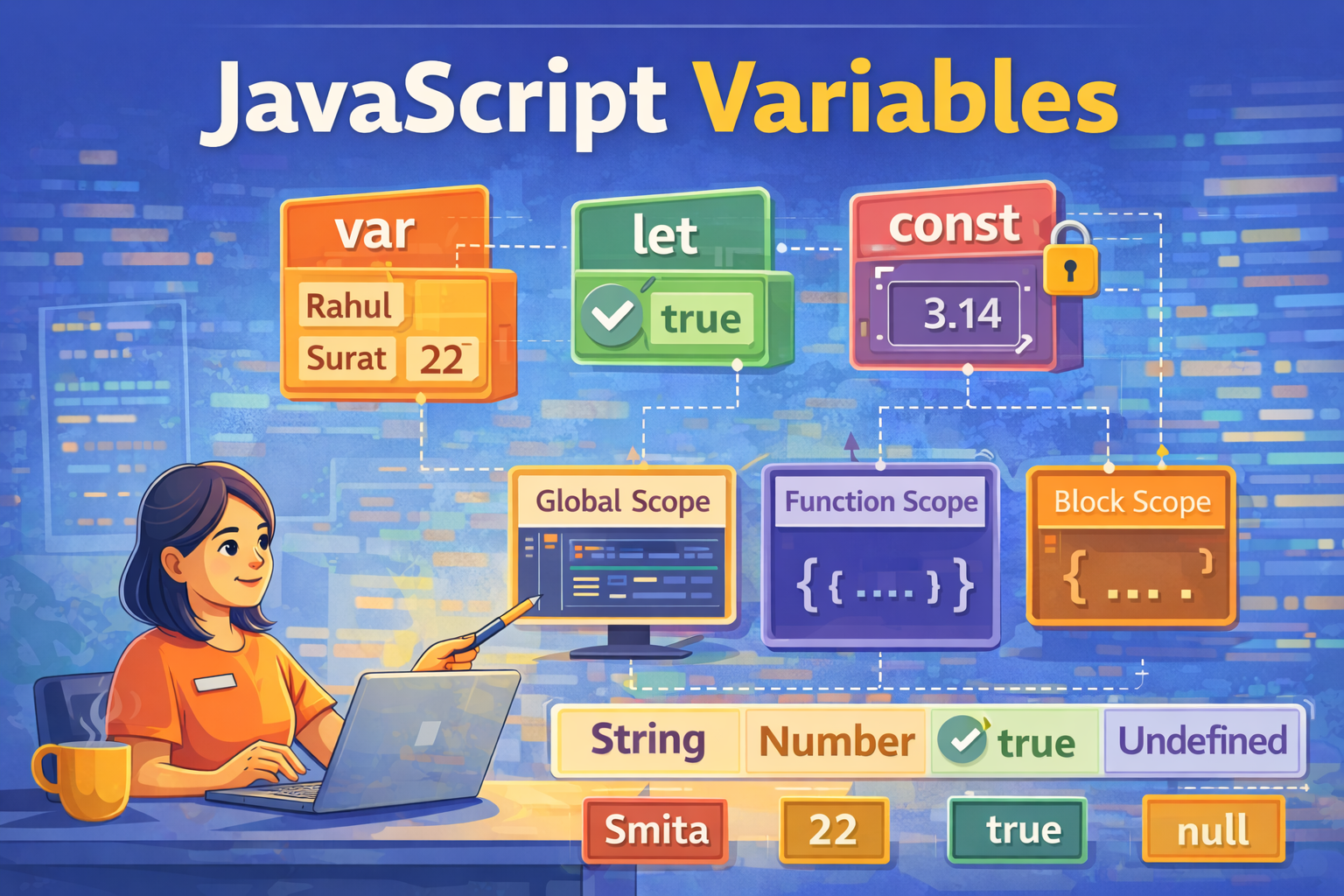
Imagine a joint family where many people live in the same house. Everyone has a name so we can identify them easily — like Rahul, Priya, or Smita.
In programming, something similar happens. Data lives inside the computer’s memory, and we use names to identify and access that data.
Before diving deeper, let's understand what a variable actually is.
In programming, we constantly work with data. That data might be a user's name, a person's age, whether someone is a student, or the price of a product.
The data itself is called a value, and the place where we store that value is called a variable.
Variables are important in every programming language because programs operate on data. That data needs a place to be stored so it can be used later in the program, and that place is a variable.
The good news is that once you understand variables in one programming language, the core concept stays almost the same in other languages as well. Only the syntax changes.
But this raises an interesting question:
Do all variables store the same kind of data, or can they store different types of data?
Let’s look at some examples of the kind of data programs usually store:
a user's name
a person's age
whether someone is a student
the price of a product
In JavaScript, this information is stored in memory using variables.
What is a Variable?
A variable is a named container used to store data that can be used later in a program.
You can imagine a variable like a labelled box. Different boxes can store different kinds of things, and each box has:
a name
something stored inside it
In programming, variables work similarly.
Example:
let name = "Smita";
Here:
name→ variable name"Smita"→ value stored in the variable
JavaScript creates a variable called name and assigns the value "Smita" to it.
However, there is one important thing to understand.
When we say a variable "stores" data, it is just a simplified way of explaining the concept.
In reality, the data is stored somewhere in the computer’s memory, and the variable acts as a label or reference that allows us to access that data whenever we need it in our program.
Why Do We Need Variables?
Variables allow programs to store and reuse information.
Without variables, we would have to write the same values again and again in different parts of a program. This would make programs harder to read and maintain.
By storing data in variables, we can simply refer to the variable name whenever we need that information.
Example:
let age = 22;
let city = "Surat";
let isStudent = true;
Here we are storing different types of information:
age→ a numbercity→ text (string)isStudent→ a true/false value (boolean)
Later in the program, we can use these variables whenever we need that information.
For example:
console.log(age);
console.log(city);
Instead of repeating the actual values, we simply use the variable names, which makes the program easier to write and understand.
How to Declare Variables in JavaScript
In JavaScript, variables can be declared using three keywords:
varletconst
Example:
var city = "Delhi";
let age = 22;
const country = "India";
Each keyword creates a variable, but they behave slightly differently.
Primitive Data Types in JavaScript
A variable can store different types of data.
The most basic ones are called primitive data types.
String
Strings store text.
let name = "Smita";
Number
Numbers store numeric values.
let age = 22;
Boolean
Boolean values represent true or false.
let isStudent = true;
Null
null represents an empty value intentionally assigned.
let data = null;
Undefined
undefined means a variable has been declared, but no value is assigned yet.
let score;
Difference Between var, let, and const
In JavaScript, var, let, and const are all used to create variables, but they behave differently.
| Keyword | Value Change Allowed | Scope | Usage |
|---|---|---|---|
| var | Yes | Function scope | Older method |
| let | Yes | Block scope | Most commonly used |
| const | No | Block scope | Used for fixed values |
Example of changing a value:
let age = 22;
age = 23;
This works because let allows the value of a variable to be changed.
But with const:
const pi = 3.14;
pi = 3.141;
This will produce an error because variables declared with const cannot be reassigned.
A Joint Family Example
We can understand this idea using a joint family example.
Imagine a joint family where some decisions can change easily, while some things are fixed.
constis like a family rule set by the grandfather.
Once the rule is decided, it usually does not change.letis like decisions made by the parents.
They can update or change them if needed.varis like the older traditional system in the house, which was used earlier but is not preferred today because it can sometimes create confusion in larger situations.
In programming, this means:
const→ value should remain fixedlet→ value can changevar→ older way of declaring variables
Because of these reasons, modern JavaScript developers mostly use let and const instead of var.
What is Scope?
Scope defines where a variable can be accessed in a program.
In other words, it determines which parts of the code are allowed to use a particular variable.
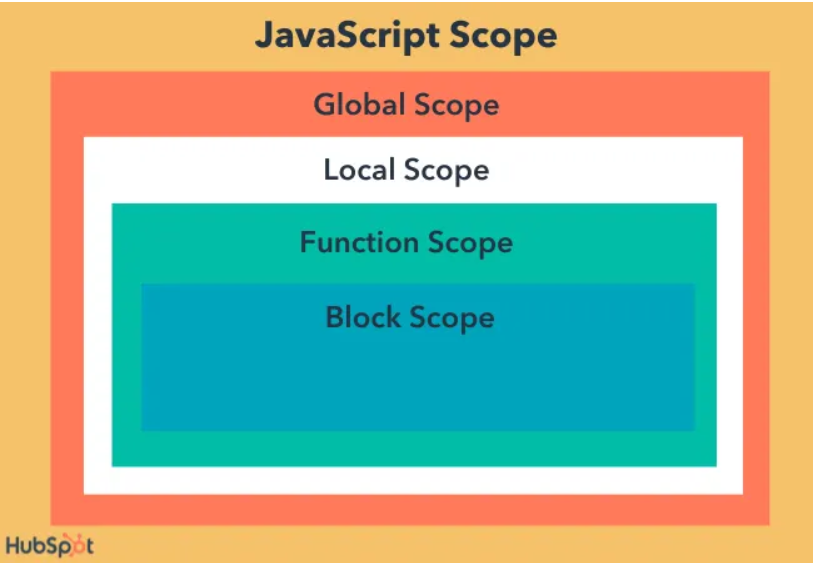
In JavaScript, variables can exist in different scopes. The three most common ones are:
Global Scope
Function Scope
Block Scope
Global Scope
A variable declared outside of any function or block belongs to the global scope.
This means the variable can be accessed anywhere in the program.
Example:
let city = "Surat";

function printCity() {
  console.log(city);
}

printCity();
console.log(city);
Here, city is declared outside the function, so it is a global variable.
Both the function and the rest of the program can access it.
Function Scope
Variables declared inside a function can only be accessed inside that function.
This behavior is called function scope.
Example:
function showAge() {
  var age = 22;
  console.log(age);
}

showAge();
console.log(age);
This will produce an error because age exists only inside the function showAge().
Once the function finishes executing, the variable is not accessible outside.
Traditionally, the var keyword follows function scope.
Block Scope
Block scope refers to variables that exist only inside a block of code defined by { }.
Variables declared with let and const follow block scope.
Example:
{
  let score = 90;
  console.log(score);
}

console.log(score);
This will produce an error because score exists only inside the block { }.
Summary of Scope Types
| Scope Type | Where the Variable Works |
|---|---|
| Global Scope | Accessible everywhere in the program |
| Function Scope | Accessible only inside the function |
| Block Scope | Accessible only inside the block { } |
Practical Example
Let's create a few variables and print them.
// Declaring variables without assigning values

var city;
let age;

// This is allowed
console.log(city); // Output: undefined
console.log(age);  // Output: undefined

// Assigning values later

city = "Surat";
age = 22;

console.log(city); // Output: Surat
console.log(age);  // Output: 22


// Declaring const without initialization

const country;
// ❌ Error: Missing initializer in const declaration


// Correct way to declare const

const countryName = "India";
console.log(countryName); // Output: India

// Changing the values

city = "Mumbai";   // var allows reassignment
age = 23;          // let allows reassignment
country = "USA";   // const does NOT allow reassignment


console.log(city);     // Output: Mumbai
console.log(age);      // Output: 23
console.log(country);  // ❌ Error: Assignment to constant variable
This program stores information in variables and prints it to the console.
Summary
In this article, we learned:
What variables are
Why variables are important
How to declare variables using
var,let, andconstBasic primitive data types
The concept of scope
How to use variables in a simple program
Understanding variables is one of the first and most important steps in learning JavaScript. Once you are comfortable with variables, you can start building more complex logic in your programs.


